Quick Button
The 「Quick Button」 locates on the upper side of the right temple arm is used to quickly trigger commonly used functions. With customizable settings, you can significantly improve daily operation efficiency.
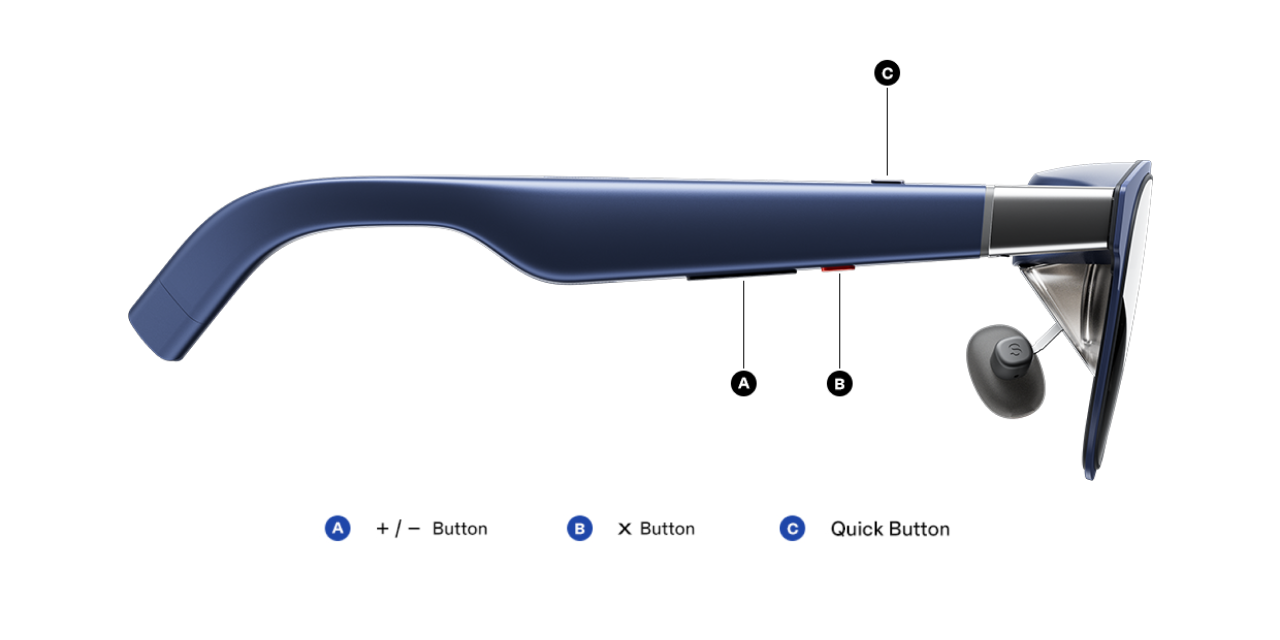
Default Function
When XREAL Eye is not connected, the default 「Quick Button」 behavior is:
- Click: 32:9 UltraWide Mode
- Long Press: No function
- Double Click: No function
When XREAL Eye is connected, the default 「Quick Button」 behavior is:
- Click: Take Photos
- Long Press: Record
- Double Click: No function
Customize the 「Quick Button」
You can assign different functions based on your personal preference.
- Double press the 「X」button to open the menu and go to 「My」
- Enter 「Quick Button」
- Assign your desired function to 「Click」/「Long Press」/「Double Click」
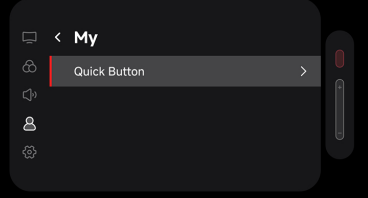 | 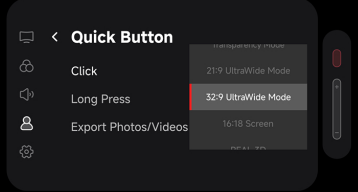 |
|---|
Available Functions
The following functions can be assigned:
- None
- Transparency Mode
- 21:9 UltraWide Mode
- 32:9 UltraWide Mode
- 16:18 Screen
- REAL 3D
- 3D Full SBS
- 3D Half SBS
- Audio Protocol
- Electrochromic Dimming
- Take Photos
- Record
- Screen Leveling
Notes
- After configuration, trigger the assigned function via 「Click」or 「Long Press」or 「Double Click」
- It is recommended to assign frequently used functions to 「Click」
- If accidental triggers of 「Click」 occur frequently, consider assigning 「No Function」 to 「Click」