Display Adjustment
Customize the screen size and distance to suit your needs.
Screen Size
- Double-click the 「X」button to open the OSD menu.
- On the 「Spatial Screen」 page, select 「Screen Size」.
- Click the 「X」button to enter the adjustment screen.
- Use the 「+ / -」buttons to adjust the setting:
- The default screen size of XREAL 1S is 154 inches, XREAL One Pro is 171 inches, and XREAL One is 147 inches. Click 「+」 to enlarge the screen, or click 「-」 to reduce the screen size. Press and hold 「+ / -」 for fine adjustment in 4-inch increments.
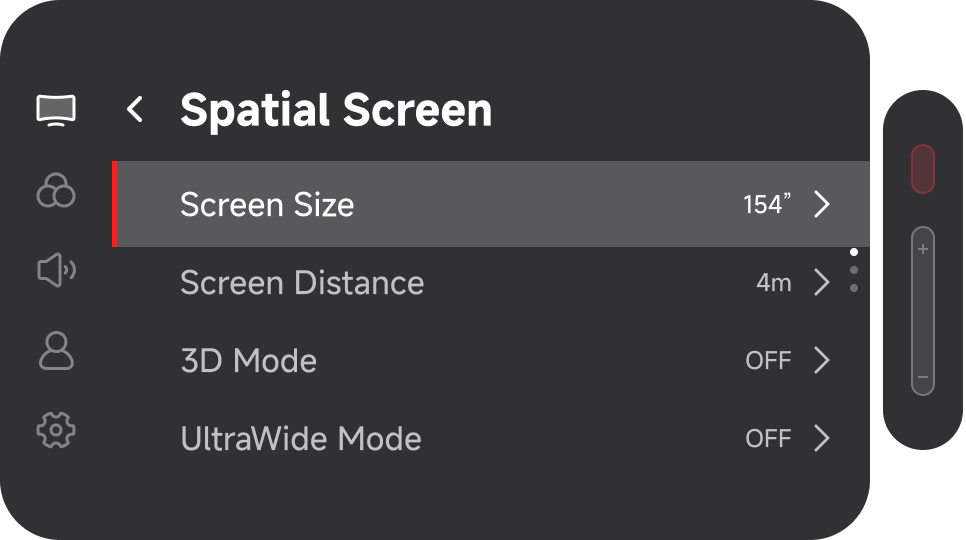
- The default screen size of XREAL 1S is 154 inches, XREAL One Pro is 171 inches, and XREAL One is 147 inches. Click 「+」 to enlarge the screen, or click 「-」 to reduce the screen size. Press and hold 「+ / -」 for fine adjustment in 4-inch increments.
Screen Distance
- Double-click the 「X」button to open the OSD menu.
- On the 「Spatial Screen」 page, select 「Screen Distance」.
- Click the 「X」button to enter the adjustment screen.
- Use the 「+ / -」buttons to adjust the setting:
- The default screen distance is 4 m. Click 「+」 to move the screen farther away, or click 「-」 to bring the screen closer. Each click adjusts the distance by 1 m. Press and hold 「+ / -」 for fine adjustment in 0.1 m increments. The adjustable range is 1 m to 10 m.
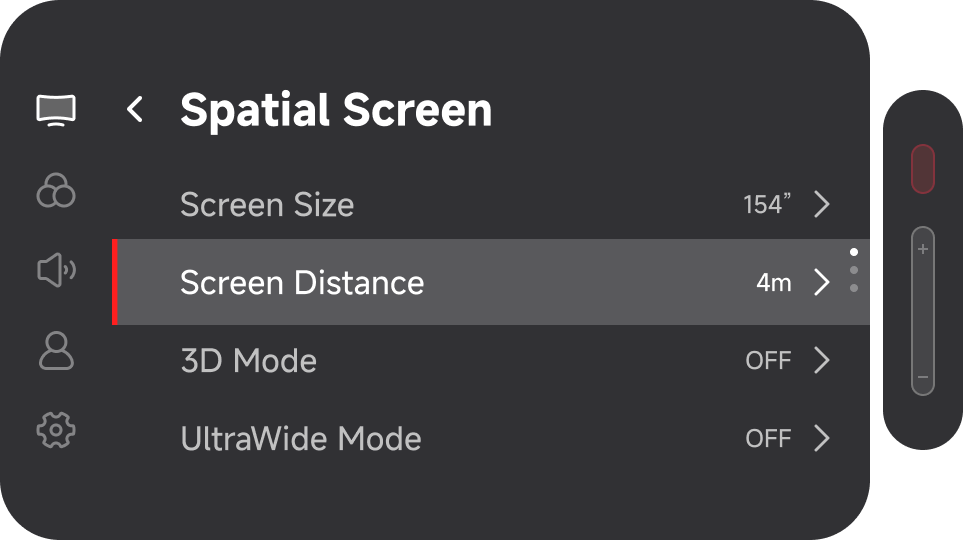
- The default screen distance is 4 m. Click 「+」 to move the screen farther away, or click 「-」 to bring the screen closer. Each click adjusts the distance by 1 m. Press and hold 「+ / -」 for fine adjustment in 0.1 m increments. The adjustable range is 1 m to 10 m.