What Should I Do If My Glasses Have No Sound?
After connecting to a device, the audio protocol may operate in either UAC mode or DP mode.
Most devices that support DP video output also support UAC audio.
Devices using HDMI output may require switching to DP mode for audio to function properly.
Mac or Windows Computer
-
First, make sure the audio output device on your computer is set to XREAL One.
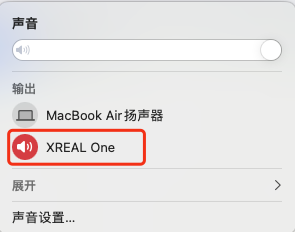
-
Ensure the system volume is not muted.
-
Confirm that the XREAL One settings menu is not set to mute.
-
Try switching the audio protocol.
Note: Do not frequently switch between UAC and DP modes, as repeated switching may affect display performance.
Switch, PS, Xbox
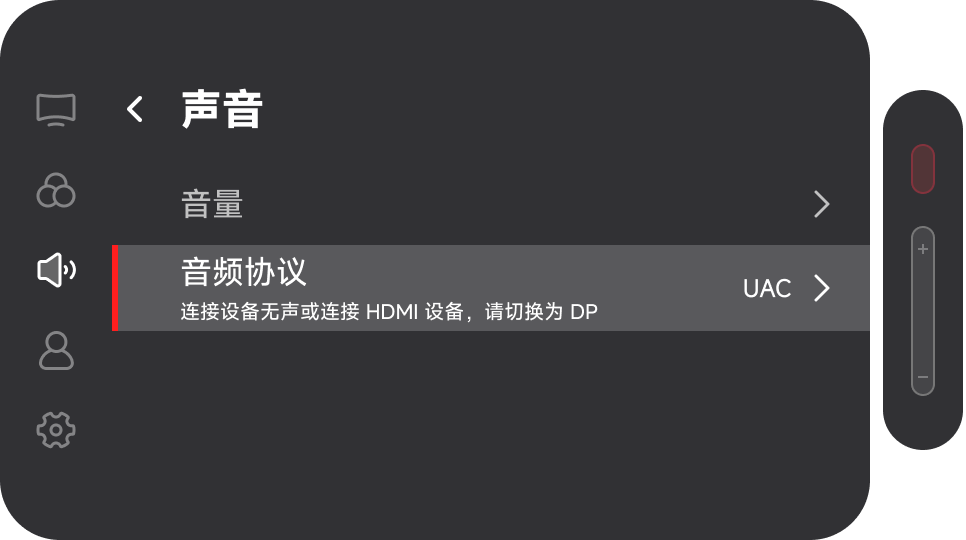
- Double press the 「Quick Button」 to open the menu.
- Navigate to the Sound settings page.
- Switch the audio protocol to DP mode.
- Make sure the volume is turned on.