Prescription Lenses
Learn about the prescription lens options for ROG XREAL R1.
Why You May Need Prescription Lenses
If you are nearsighted or have other vision correction needs, you can use the prescription lens frame / non-prescription lens instruction card included in the package and take it to an optical store of your choice. You can also order prescription lenses through an official partner store.
Prescription lens order link: www.xreal.com/prescription-lens-ROG-XREAL-R1
How to Install Prescription Lenses
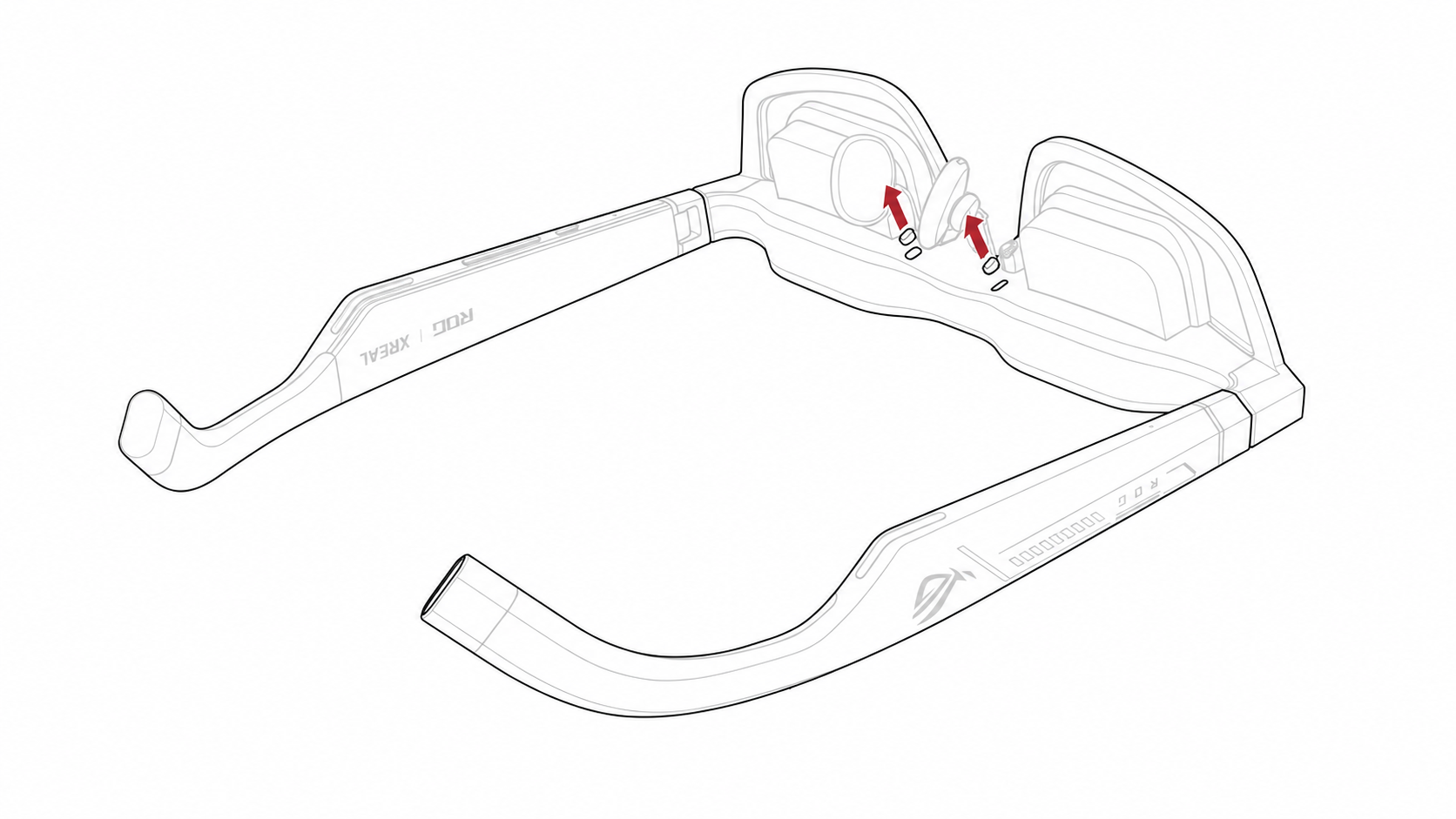
- Place the glasses on a stable, flat surface with the nose pad facing upward, then remove the rubber dust cover near the nose pad holder.
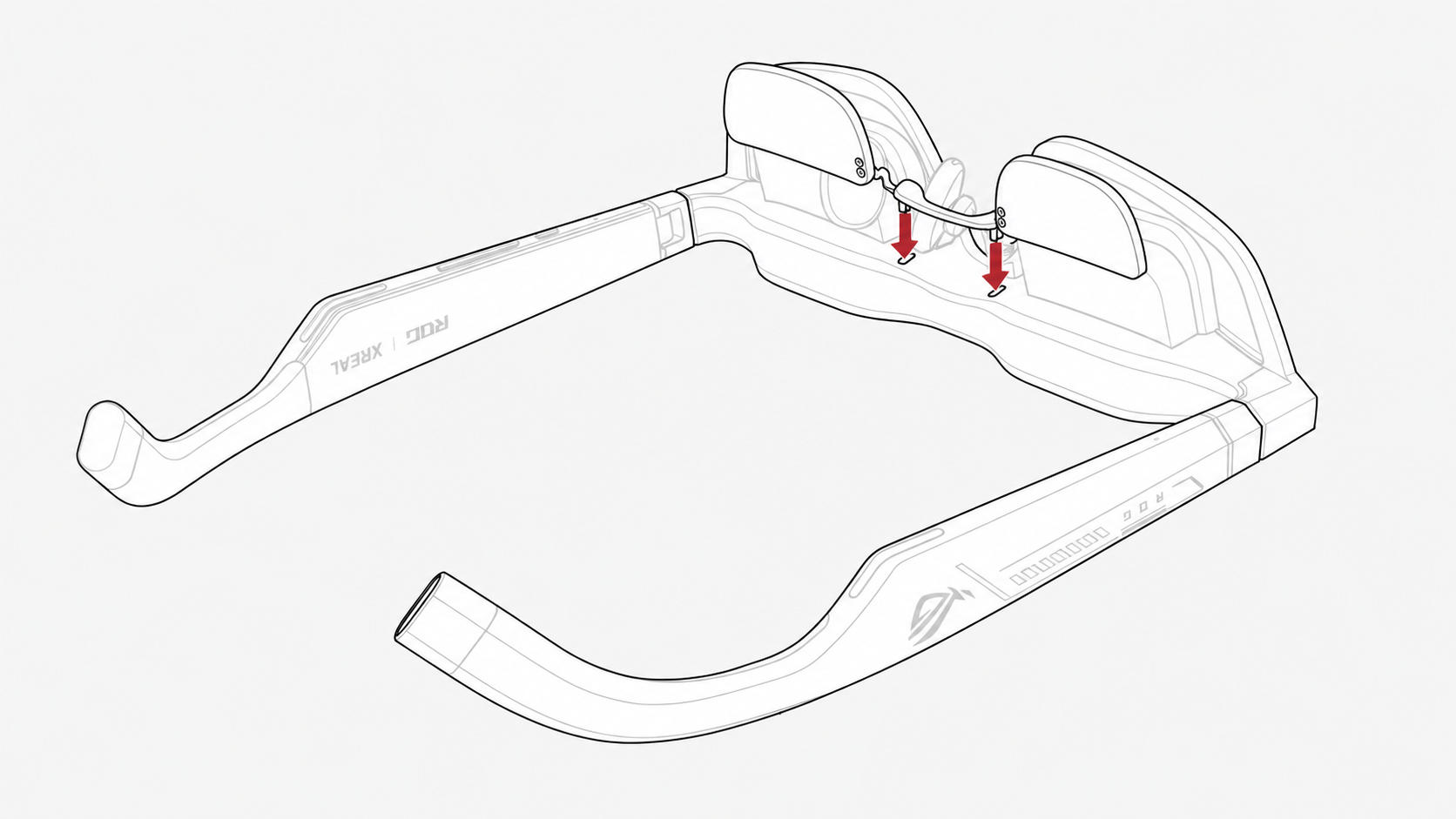
- Align the fixing clips of the prescription lens insert with the corresponding openings on the glasses, then press down gently to secure the prescription lens insert.
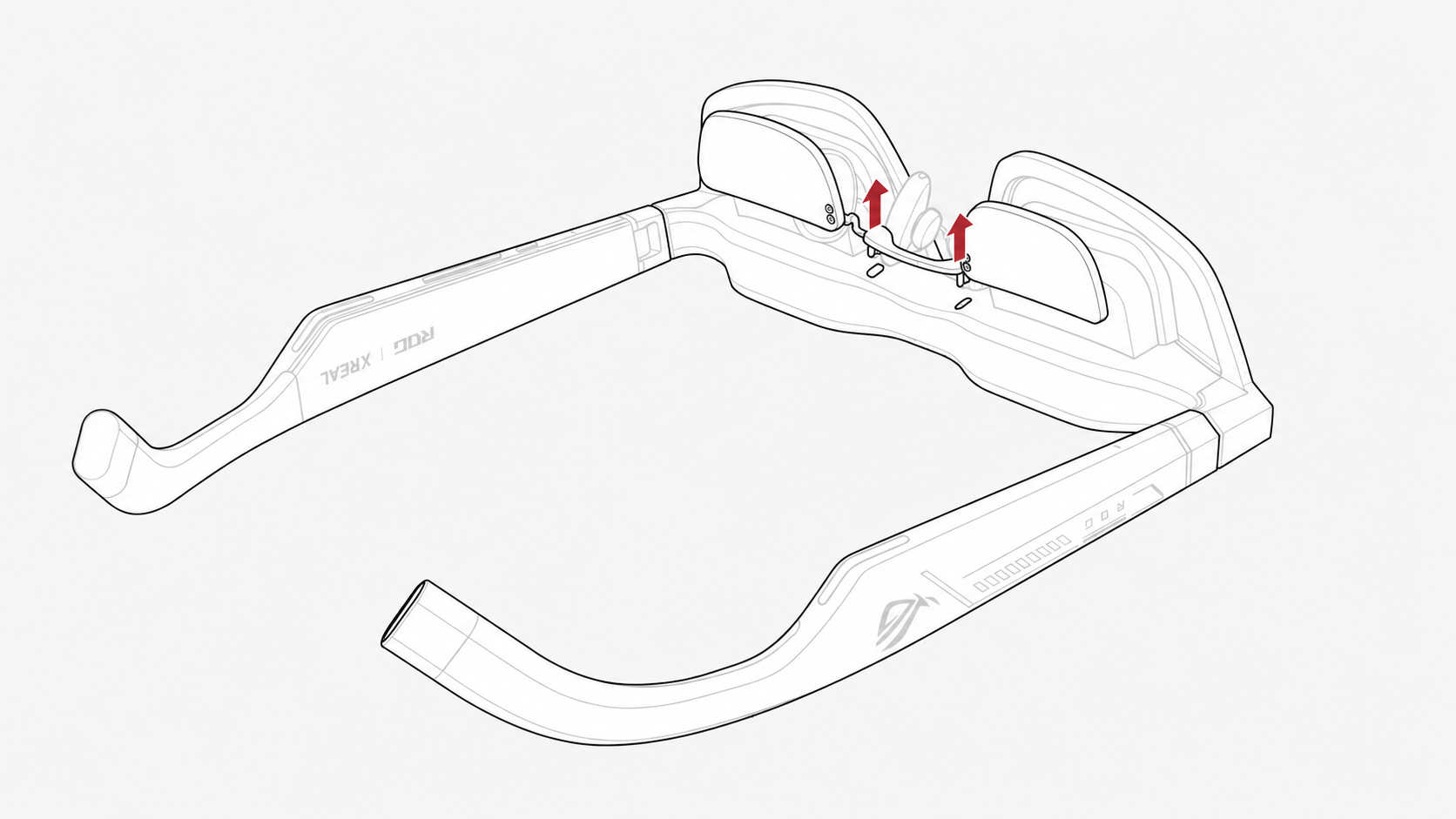
- To remove the prescription lens insert, simply detach it from the glasses.
- Reinstall the rubber dust cover.
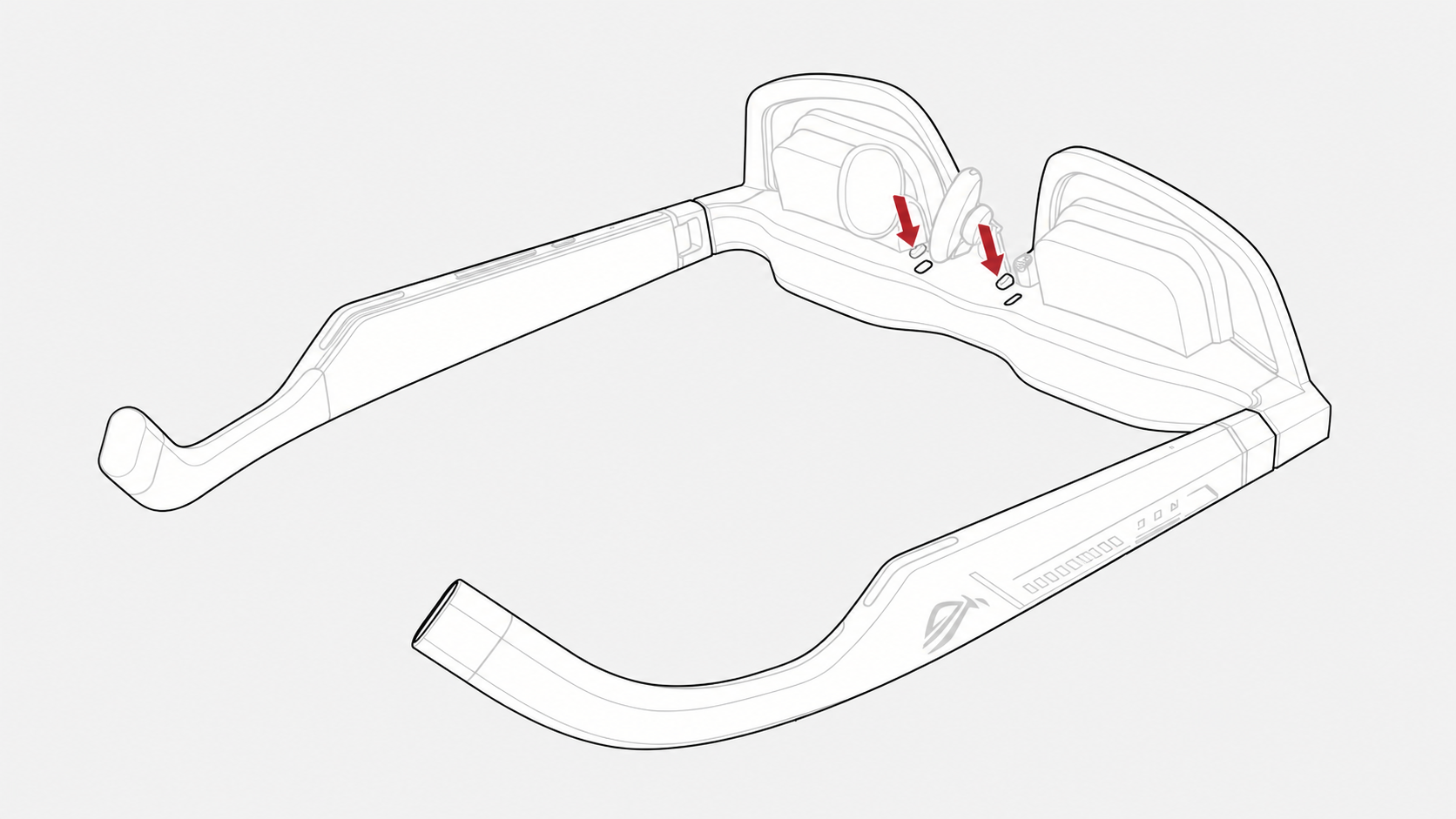
After installation is complete, make sure the prescription lens insert is firmly secured and check the image alignment again.
Note
If you are not sure how to install the prescription lens insert, we recommend contacting e-commerce customer support for assistance.