Screen Size, Screen Distance, UltraWide Mode, and Side View
Adjust screen size and distance
- Double-click 「X」 to open the OSD.
- Open 「Spatial Screen」.
- Select 「Screen Size」 or 「Screen Distance」.
- Use 「+」 / 「−」 to adjust the value, then double-click 「X」 to save and go back.
You can also click 「+」 or 「−」 to open the 「Quick Panel」, click 「X」 to select screen size or screen distance, and use 「+」 / 「−」 to adjust it.
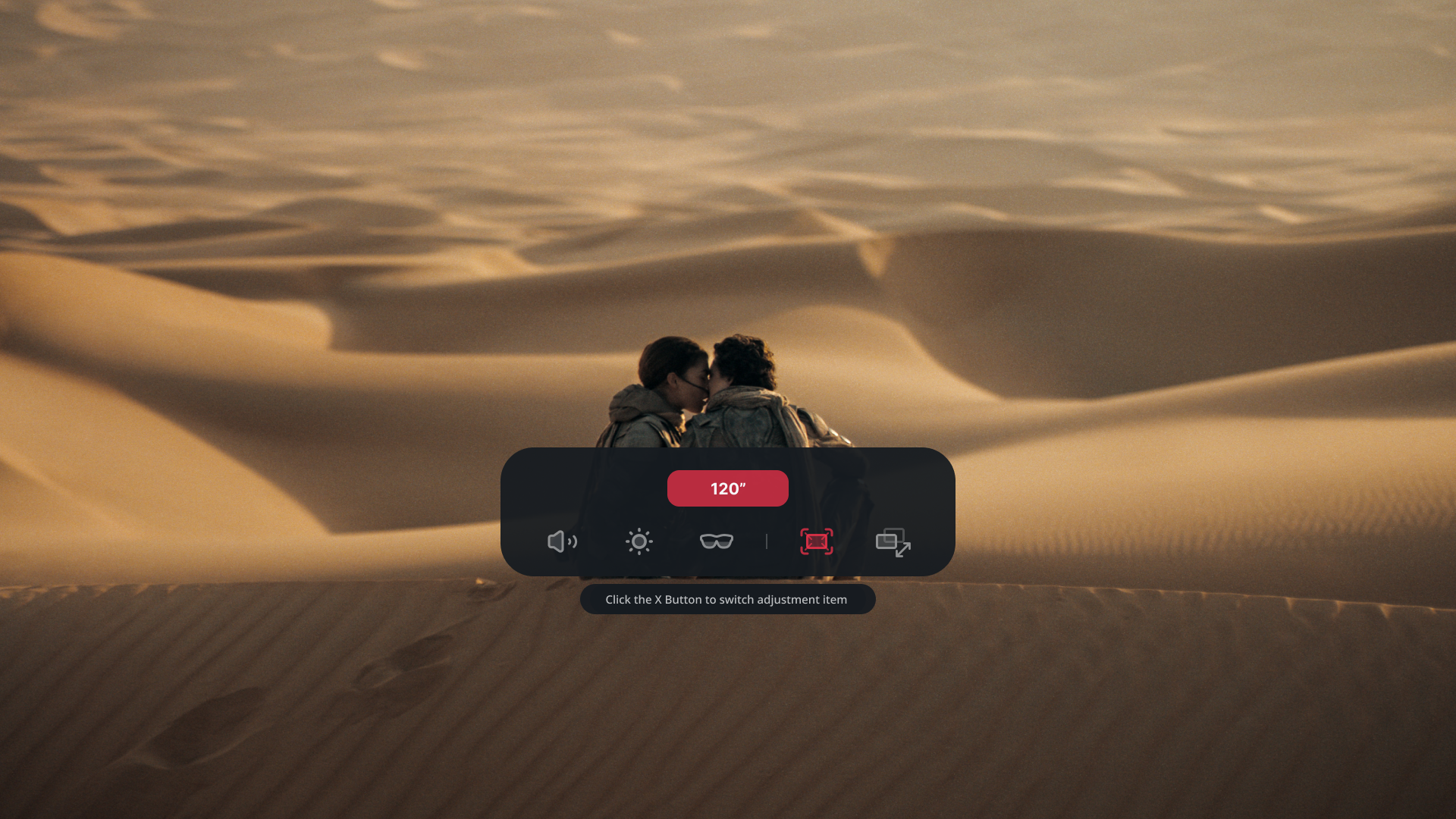
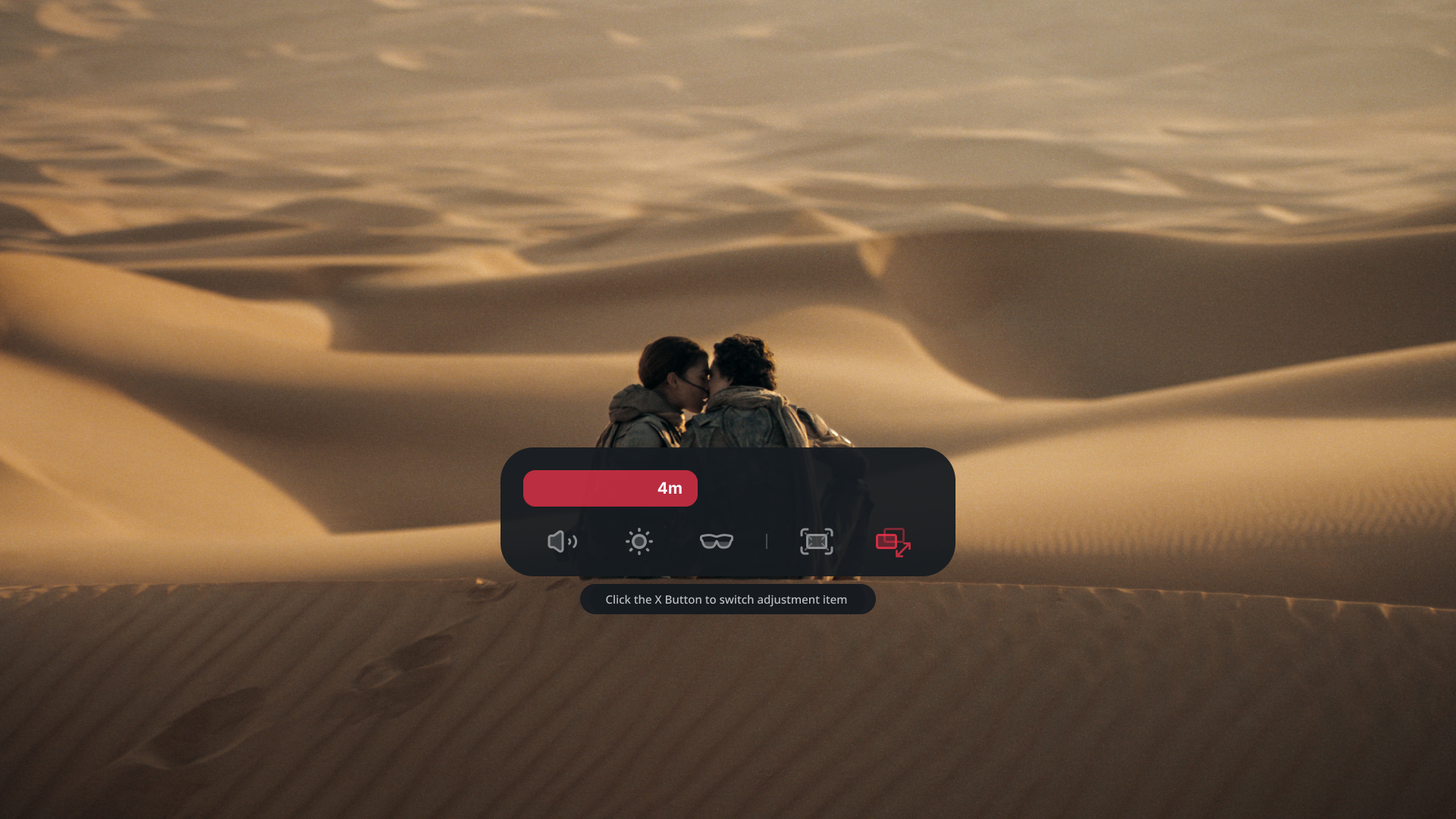
The supported virtual-screen range is 1–10 m and approximately 34–556 inches. The available maximum can be smaller after IPD adjustment or in certain display modes.
Use UltraWide Mode
「UltraWide Mode」 gives compatible source devices a wider workspace. In 「Spatial Screen」 > 「UltraWide Mode」, choose 「21:9」, 「32:9」, or 「16:18」.
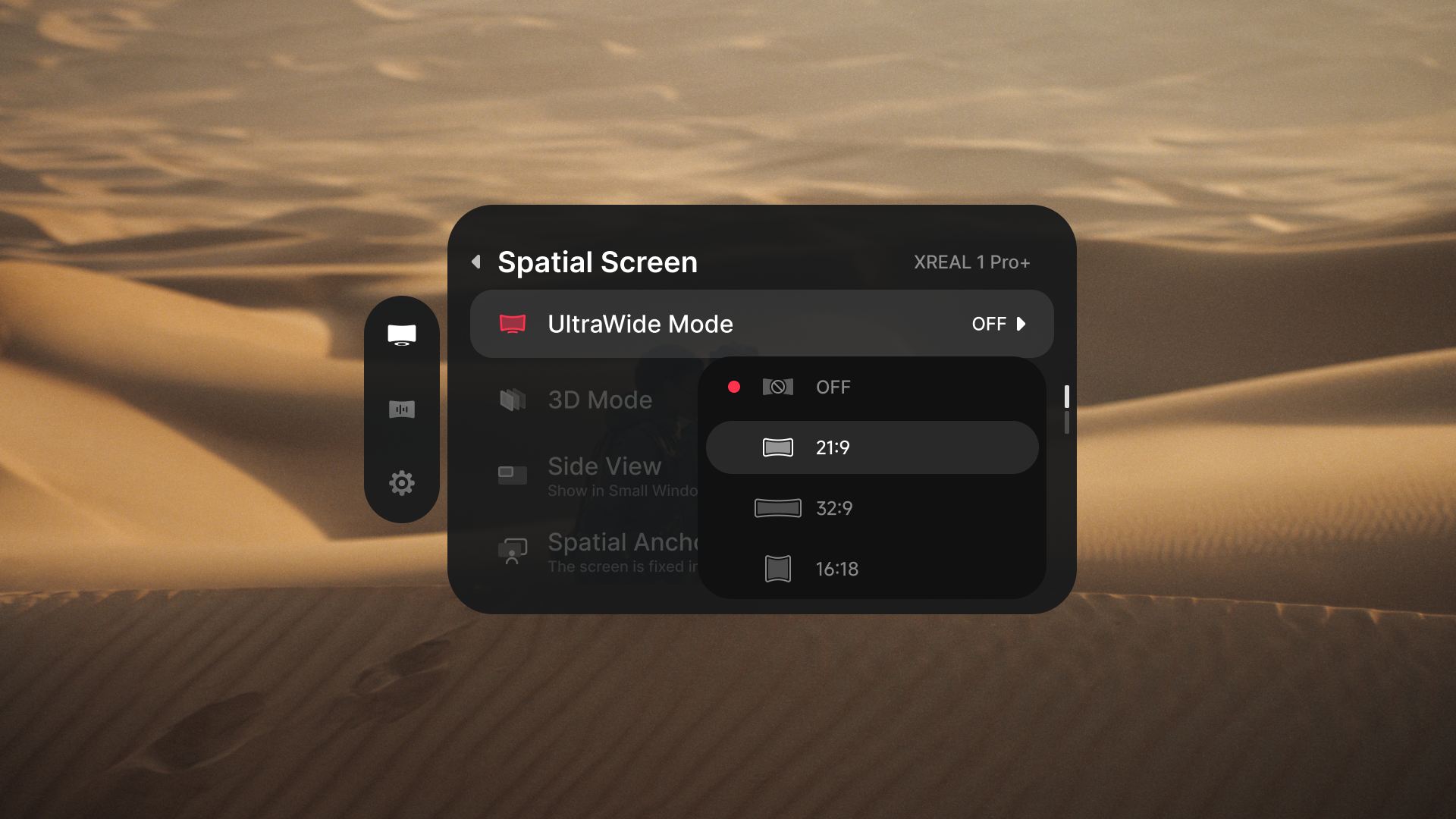
The source device must accept the selected display format. The display may briefly go black while the video link changes. 「UltraWide Mode」 cannot remain active with 「3D Mode」 or 「Side View」; the most recently selected conflicting mode takes priority.
Use Side View
「Side View」 shrinks the source picture so you can see more of your surroundings.
- Open 「Spatial Screen」 > 「Side View」.
- Choose one of the positions shown in the OSD.
- Select 「Off」 to return to the previous viewing mode.