What's in the Box
Your XREAL AURA package includes everything you need to get started.
Package Contents
Main Components
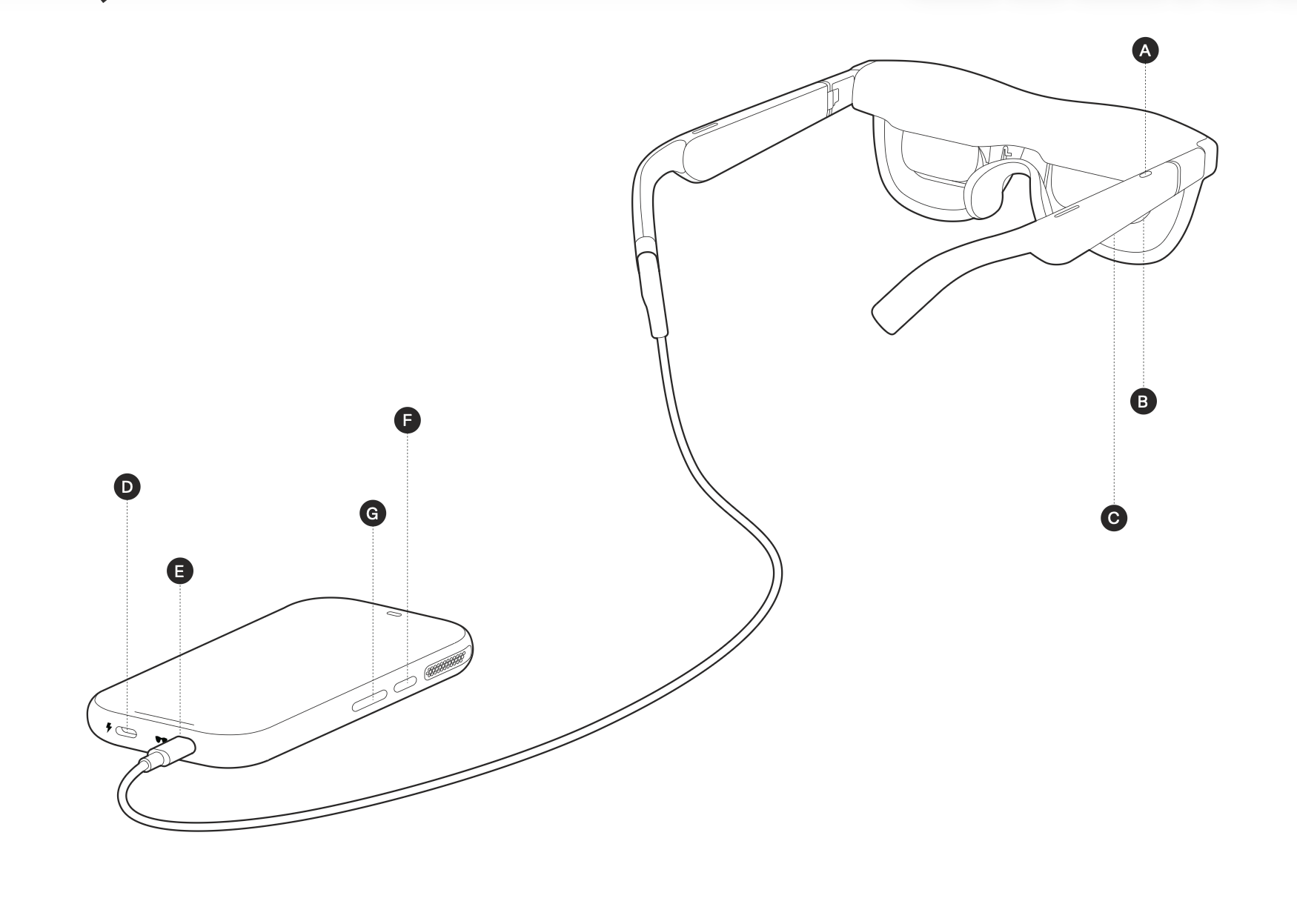
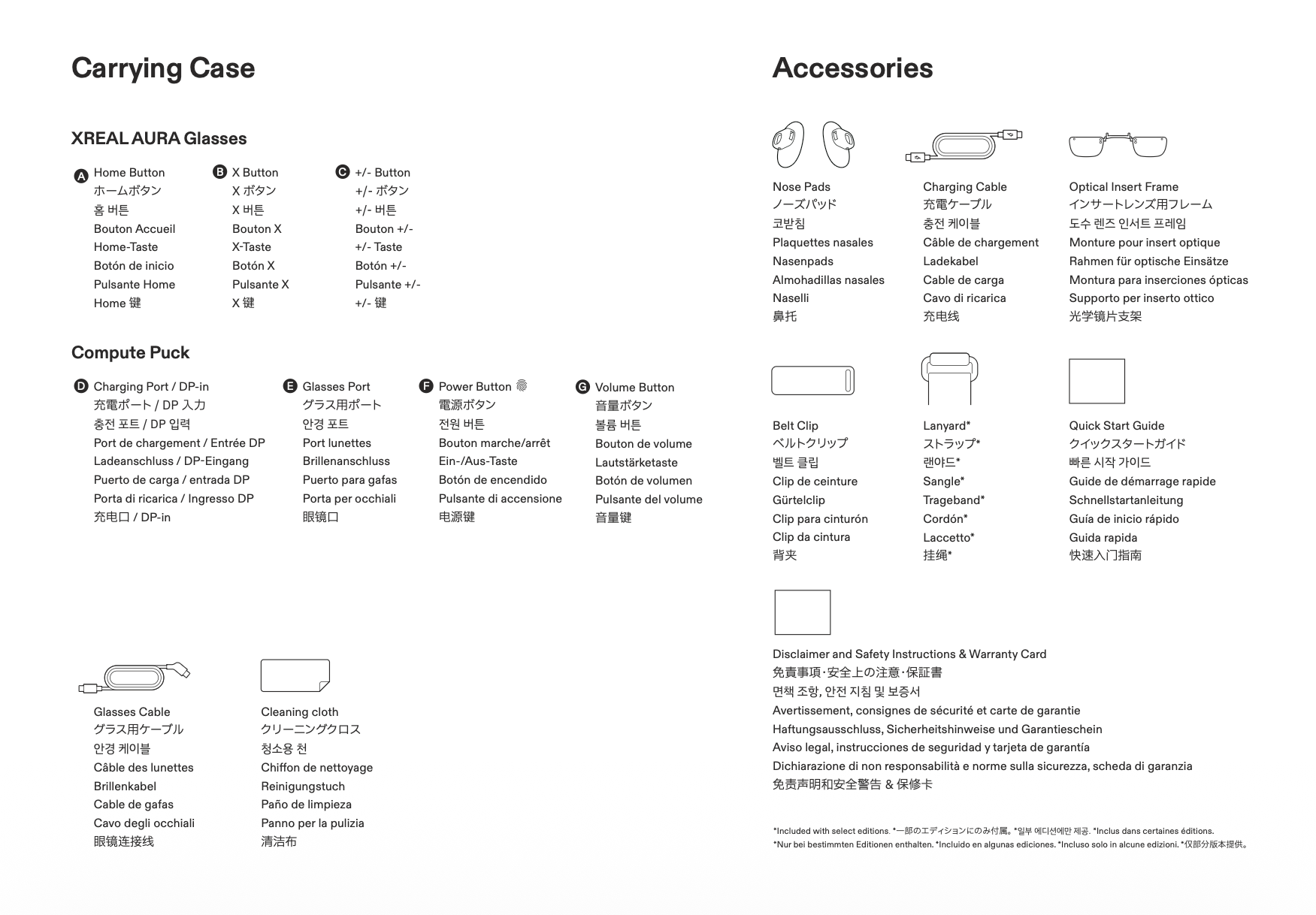
- XREAL AURA Glasses (1) — The AR display glasses.
- Compute Puck (1) — The Android XR computing unit that powers the glasses, and also functions as a touchpad.
- Glasses Cable (1) — Dedicated cable to connect the glasses to the Compute Puck.
- Carrying Case (1) — Protective travel case for your glasses, Compute Puck, and cables.
Accessories
- Charging Cable (1) — USB-C cable for charging the Compute Puck.
- Belt Clip (1) — Detachable clip that snaps onto the back of the Compute Puck for clipping onto clothing or a belt.
- Lanyard* (1) — Detachable lanyard for wearing the Compute Puck around your neck or crossbody.
- Nose Pads (3 pairs) — S, M, and L sizes to ensure proper display height.
- Optical Insert Frame (1) — Insert frame for prescription lenses.
- Cleaning Cloth (1) — Microfiber cloth for cleaning lenses.
*Included with 16GB model only.
Included Documentation
- Quick Start Guide (1) — Basic instructions to get started.
- Warranty Card (1) — Information about warranty and customer support.
- Disclaimer and Safety Instructions (1) — Safety guidelines and regulatory information.
Cables
Glasses Cable
- Purpose: Connects glasses to Compute Puck
- Connector: Angled USB-C connector on one end for comfortable use while lying down
- Features: Supports DisplayPort (DP) high-speed audio/video transmission alongside high-bandwidth USB 3.1 Gen 1 data communication for stable display and tracking performance
Charging Cable
- Purpose: Charge the Compute Puck
- Type: Standard USB-C cable
- Note: Supports charging/power only and does NOT support DisplayPort (DP) video transmission. Charger not included; use a PD/PPS compatible charger (18W+ recommended).
Carrying Case
The included carrying case protects your XREAL AURA during transport.
Tip: Always store glasses with lenses facing up. Keep the glasses cable properly coiled to avoid damage, and use the case whenever transporting your device.
Check Your Package
Before setting up, verify that all items are present. If any items are missing or damaged, contact XREAL Support immediately with your proof of purchase.
Check Your Size
XREAL AURA comes in two IPD (Interpupillary Distance) sizes. Check the marking on the inside of the glasses temple to confirm you have the correct size:
- Standard (M): Designed for an IPD range of 60–66mm. Marked with an "M" on the temple.
- Large (L): Designed for an IPD range of 66–72mm. Marked with an "L" on the temple.
If you are unsure which size is right for you, see Fit Adjustment.
Next: Hardware Overview | Getting Started