Temple Adjustment
The temples support three vertical positions to change how the glasses sit on your face.
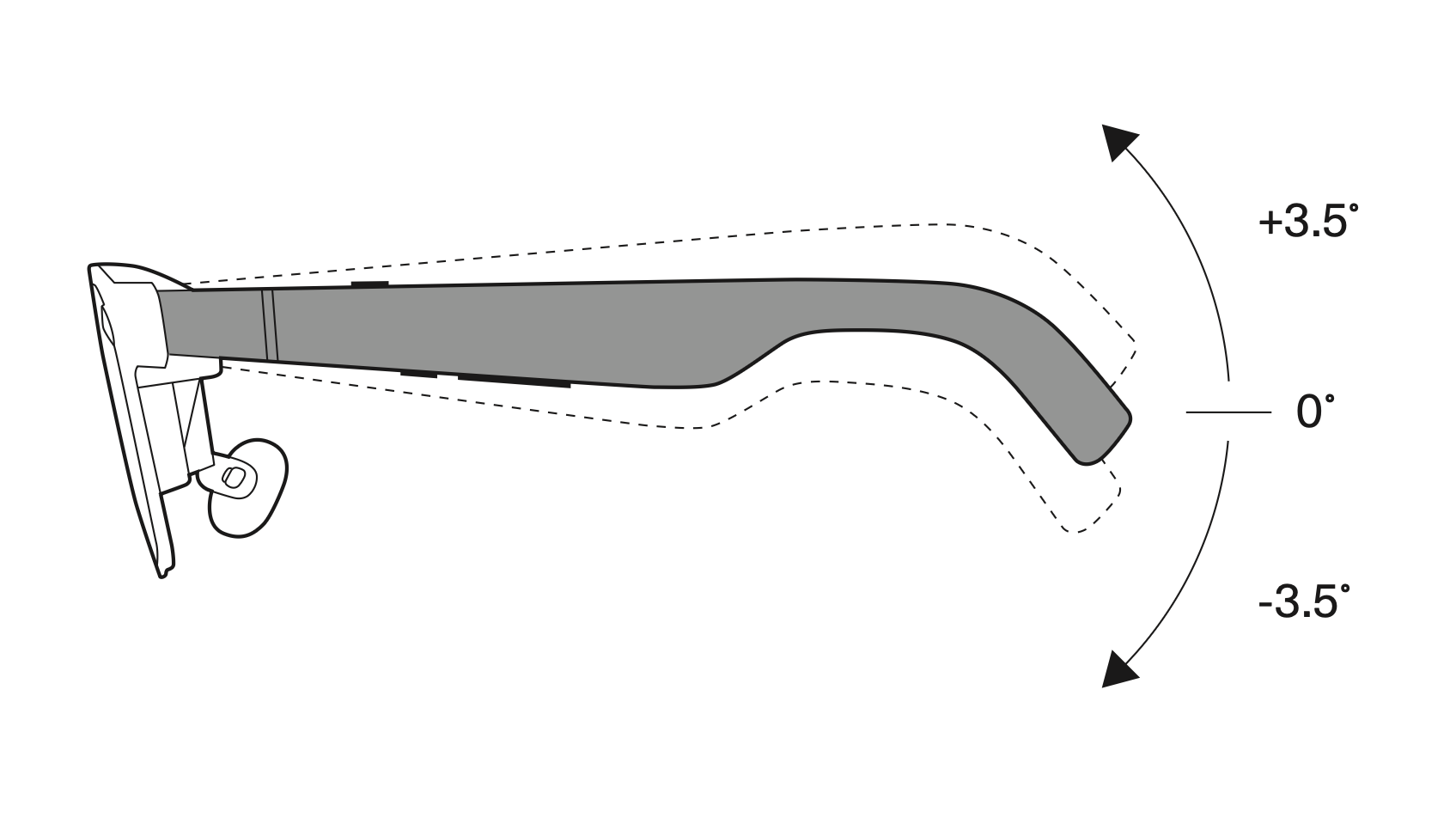
Positions
- Up (+3.5°): Angle temples up to tilt the display down, showing more of the top content
- Center (0°): Default (neutral)
- Down (-3.5°): Angle temples down to tilt the display up, showing more of the bottom content
Adjust the Temples
- Hold the frame firmly with one hand.
- Gently rotate the temple up or down at the hinge to the desired position.
- Verify the position. You should feel a click at each position.
- Repeat the adjustment for the other temple.
Warning: Do not over-bend the temples. Only adjust within the designed range to prevent damage.
When to Adjust
- Top of screen is cut off: Tilt temples up (+3.5°).
- Bottom of screen is cut off: Tilt temples down (-3.5°).
Related: Nose Pad Selection | IPD