IPD Fit
IPD (Interpupillary Distance) refers to the horizontal straight-line distance in millimeters (mm) between the centers of your pupils when looking straight ahead. Wearing glasses that match your IPD ensures:
- Both eyes see a clear, complete image
- No double vision or image offset
- Comfortable extended use without eye strain
Understanding IPD
IPD is the distance between the centers of your pupils. Choose the glasses version that matches your measured IPD range.
XREAL AURA IPD Sizes
XREAL AURA is available in two IPD versions:
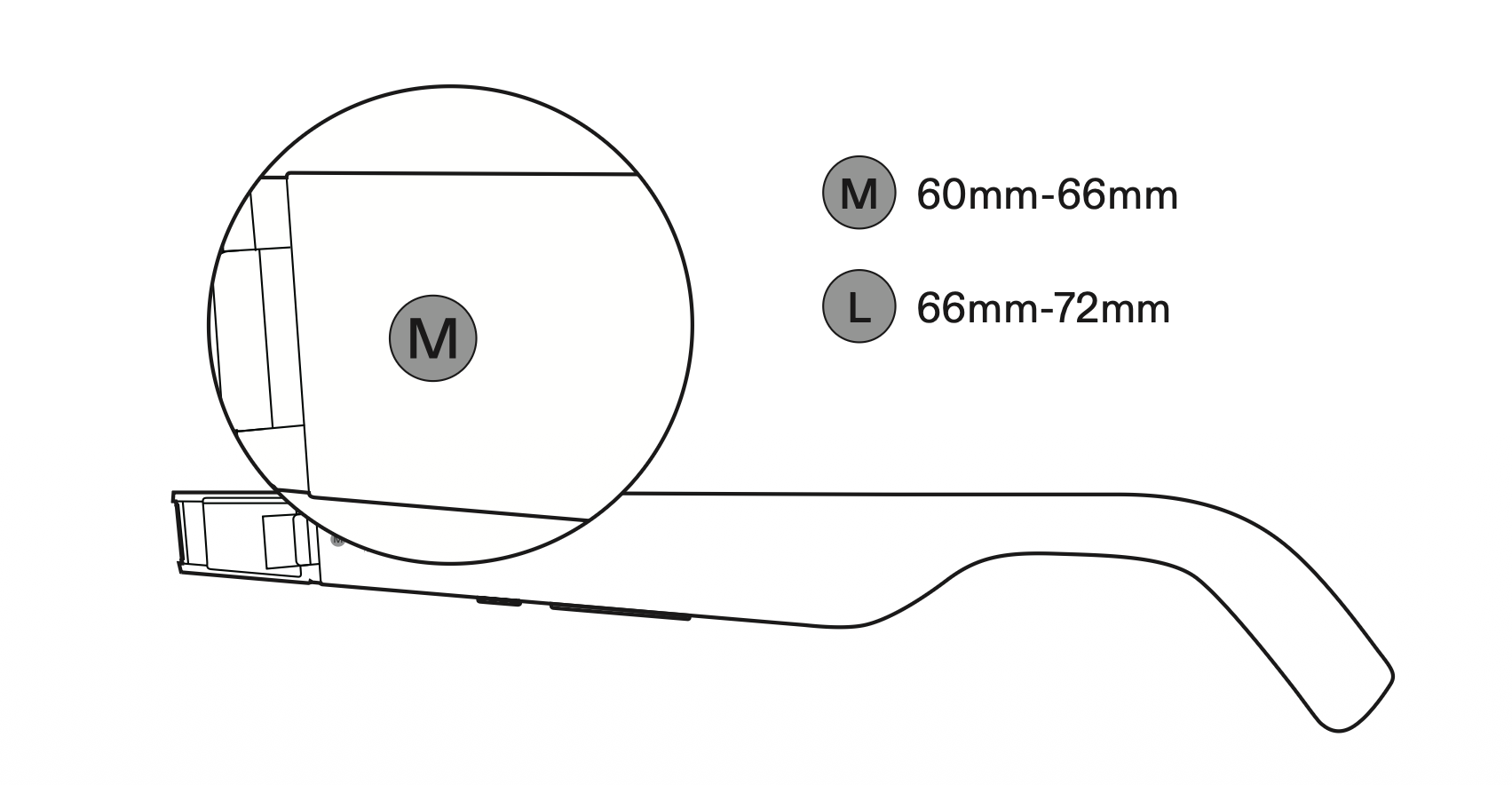
- Standard (M): Centered at 63mm IPD, covering a range of 60–66mm. Marked with an "M" on the inside of the temple.
- Large (L): Centered at 69mm IPD, covering a range of 66–72mm. Marked with an "L" on the inside of the temple.
If your IPD is exactly 66mm, choose the Large (L) version.
Check Your Version
Flip the glasses over and look at the inside of the right temple for the size marking (M or L).
Symptoms of IPD Mismatch
If the version doesn't match your IPD, you will notice:
- Blurry or distorted edges of the display
- Display appears cut off on the sides
- Double vision or ghost images
- Eye strain or headaches after extended use
Warning: If you experience these symptoms, first verify you're wearing the correct IPD version before attempting software adjustment.
Software IPD Fine-Tuning
You can fine-tune IPD through system settings:
- Open Settings from the launcher.
- Go to Tips & Support → Fit adjustment.
- Follow the on-screen guidance to complete calibration.
You can also enter your IPD measurement directly under Settings > Tips & Support > Add your IPD manually.
Note: Software IPD fine-tuning is intended for comfort optimization within hardware ranges only; it cannot resolve physical mismatches outside the supported hardware range (e.g., below 60mm or above 72mm). If discomfort persists, switch to the appropriate hardware IPD version.
Measure Your IPD
If you don't know your IPD:
- Get a professional measurement. Visit an optometrist or optical store for the most accurate result.
- Use the ruler method. Face a mirror and hold a millimeter ruler horizontally beneath your eyebrows/bridge of nose. Close your right eye and align the 0mm mark with the center of your left pupil. Then open your right eye, close your left eye, and read the millimeter mark aligned with the center of your right pupil.
- Use the online tool. Access the XREAL IPD Online Measurement Tool to measure via your phone or computer camera.
Related: Nose Pad Selection | Temple Adjustment | Prescription Lenses