xbx a01 Unboxing Guide
Please follow the steps below to unbox your product.
Welcome to xbx a01! This guide will help you quickly understand what's in the package and get ready for your first use.
1. Inspect the Packaging
Confirm that the outer packaging is intact, with no obvious damage or compression marks.
2. Open the Seal and Remove the Product
3. Confirm All Accessories are Present
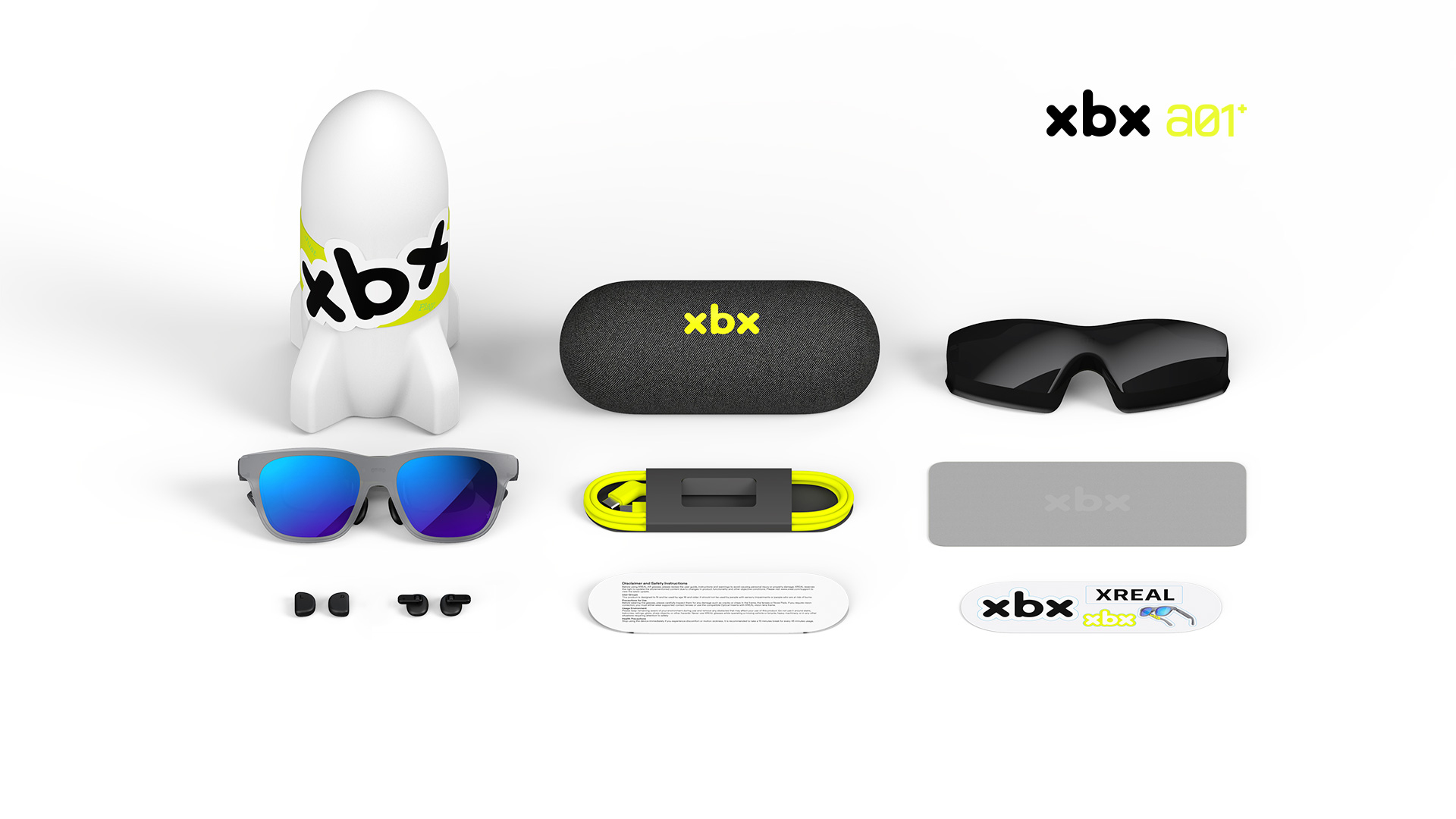
| Item | xbx a01 | xbx a01+ |
|---|---|---|
| xbx a01 / xbx a01+ Glasses | ✓ | ✓ |
| Detachable Front Frame (pre-installed on the glasses) | ✓ | ✓ |
| Light Shield | ✗ | ✓ |
| Portable Capsule Case | ✓ | ✓ |
| USB-C Cable | ✓ | ✓ |
| Nose Pads (three sizes: S/M/L; size M is pre-installed on the glasses) | ✓ | ✓ |
| Cleaning Cloth | ✓ | ✓ |
| Brand Sticker | ✓ | ✓ |
| Disclaimer (Warranty Card) | ✓ | ✓ |
When opening the packaging, please handle the glasses case and product carefully to avoid dropping.
Note: If any item is missing or damaged, please keep the complete packaging and contact the e-commerce customer service.
4. Open the Case and Connect the Device
1. Remove the Optical Engine Protective Film
Peel off the protective film on the optical engine by pulling the small tab indicated by the arrow.
2. Remove the Front Protective Film
Peel off the protective film on the front side by pulling the small tab indicated by the arrow.
3. Take Out the Cable
Remove the cable from the storage case.
4. Connect to the Glasses
Plug the L-shaped end of the cable into the glasses port.
5. Connect to an External Device
Plug the other end (straight) of the cable into a device that supports DP video output.
Once connected, put on the glasses and enjoy the immersive spatial large screen.
Precautions
- Avoid using or storing the glasses in humid or dusty environments
- The lens surface has an optical coating. Do not clean it with alcohol or chemical solvents