Quick Guide
This guide introduces the basic button functions of xbx a01 glasses, helping you get started quickly and enjoy the spatial big-screen experience.
Get Familiar with the Buttons
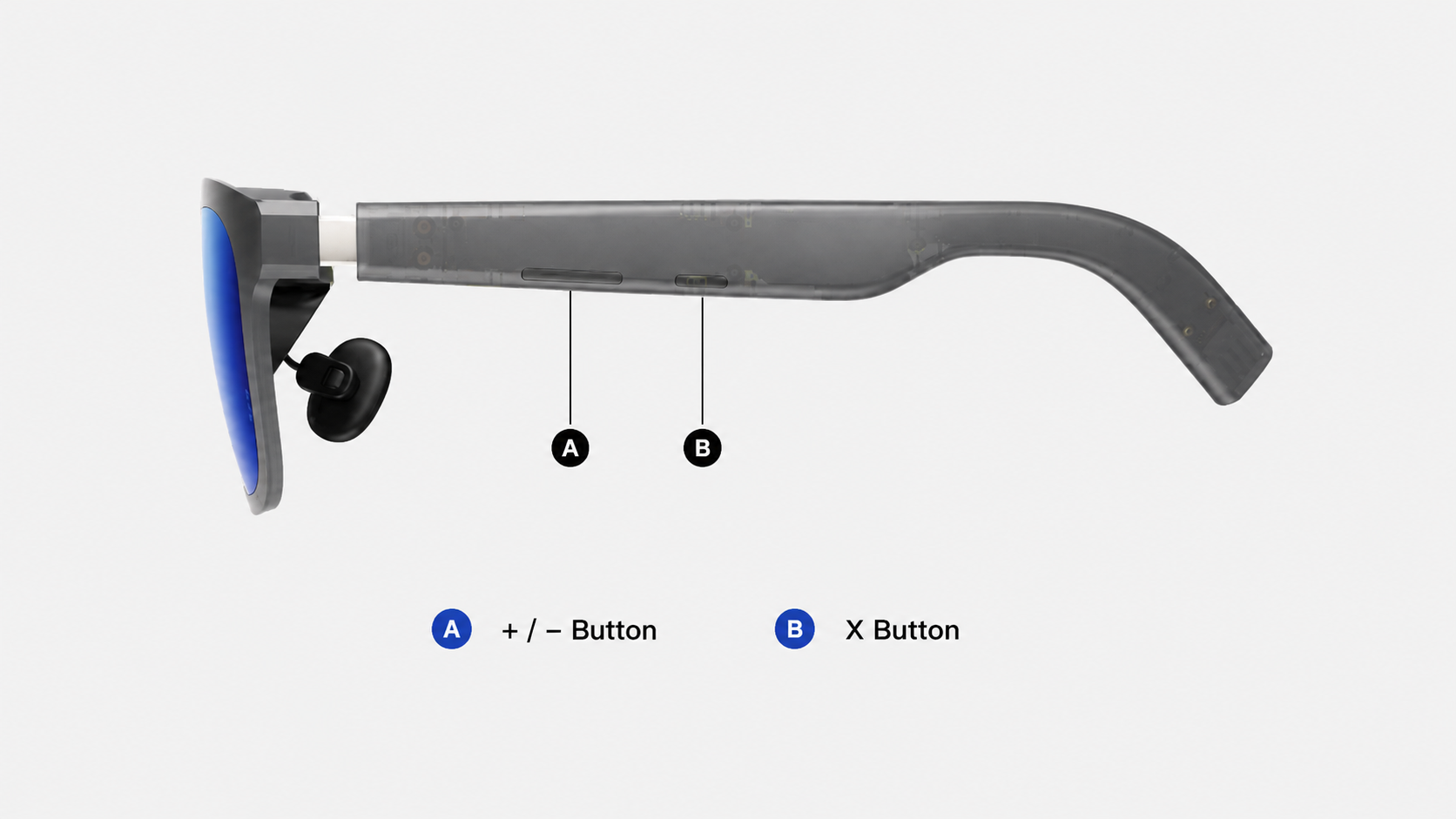
Menu Controls
Click/ Double-click the 「X」 button to open the function menu screen, on the function menu screen:
- Click the 「X」 button: Confirm
- Click the 「+/-」 button: Move up or down between options
- Double-click the 「X」 button: Go back to the previous menu
Display Language
After the first successful connection, the system will prompt you to select the menu display language.
You can change the language at any time from the 「Settings」 menu.
Firmware Update
We recommend keeping your glasses firmware up to date to get the latest features and optimizations. You can update the firmware through the OTA website: https://www.xreal.com/ota